Allow Pulse on this computer
bCourses takes an access token you create. CalCentral and mail open a window on this Mac, and you finish any text or Duo prompt yourself. Pulse keeps those keys in its folder and does not store your password.
bCourses
Not connected
Assignments, due dates, and the syllabus. Paste a token from Account → Settings. It stays on this Mac and is sent to bCourses only to confirm the account, then again when you scan.
-
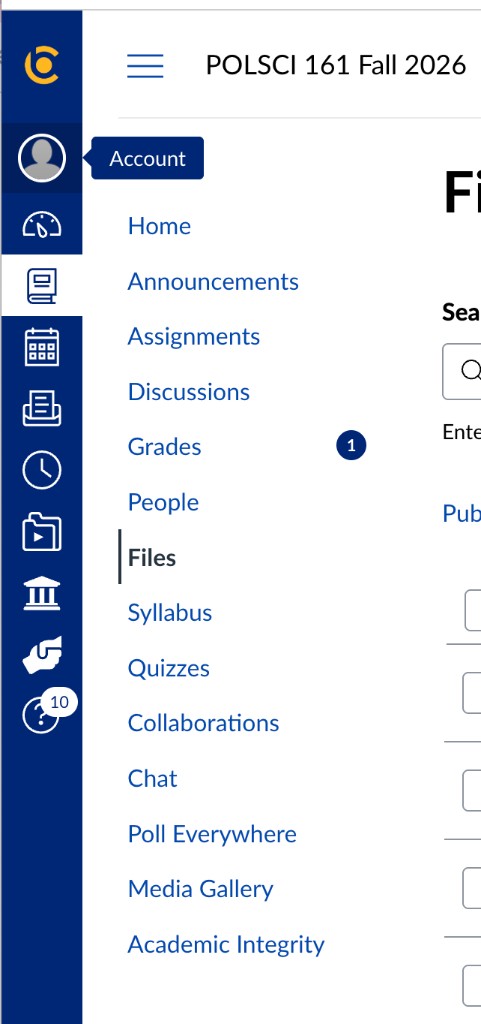
Open Account in the left sidebar. -
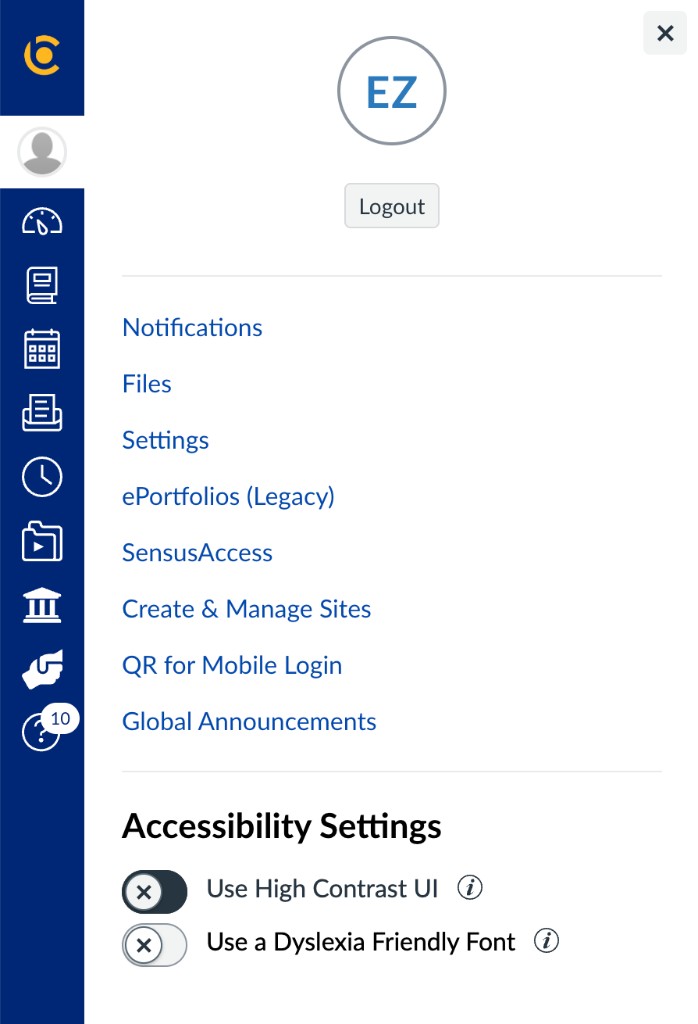
Open Settings. -
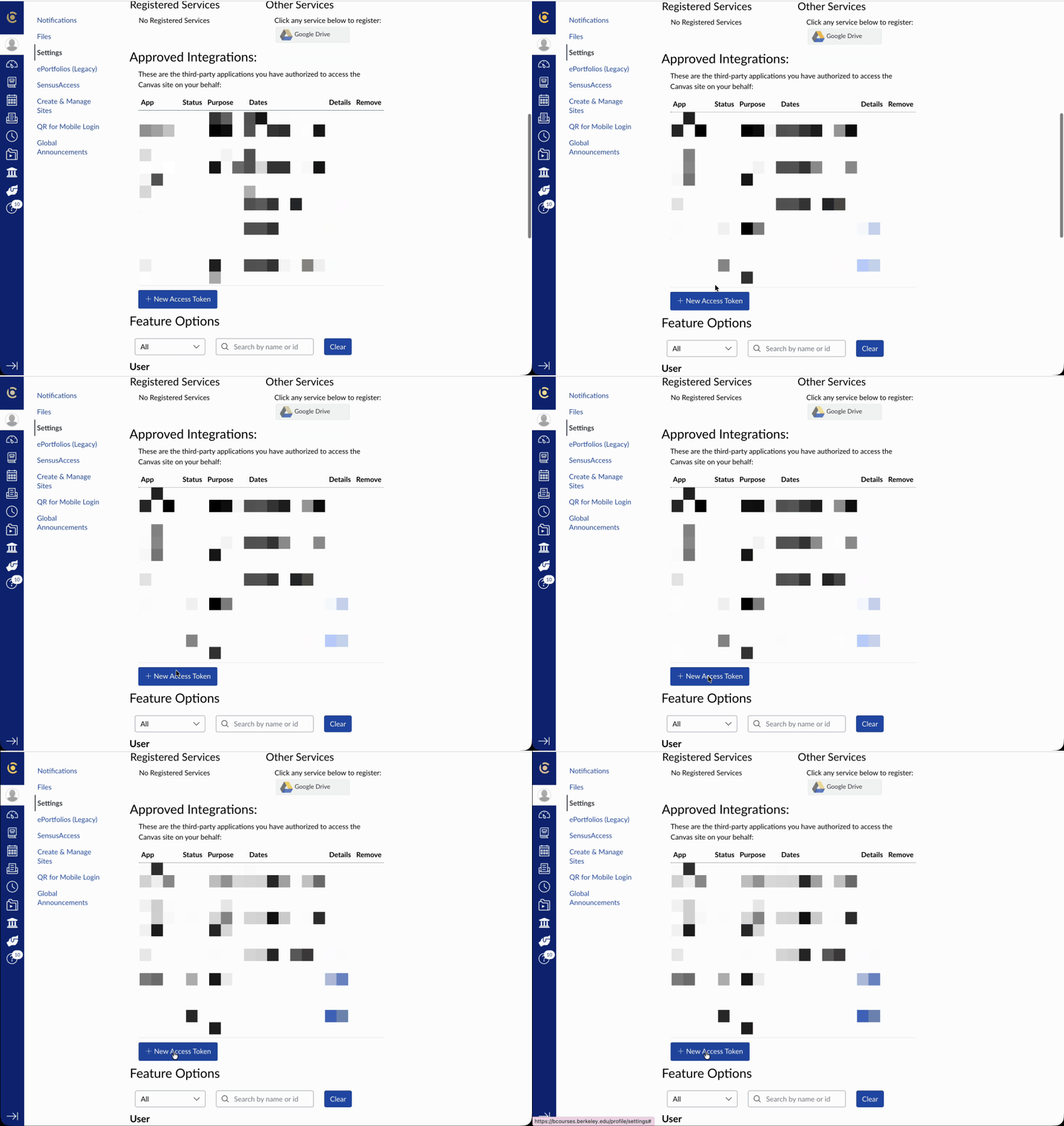
Scroll to Approved Integrations. -
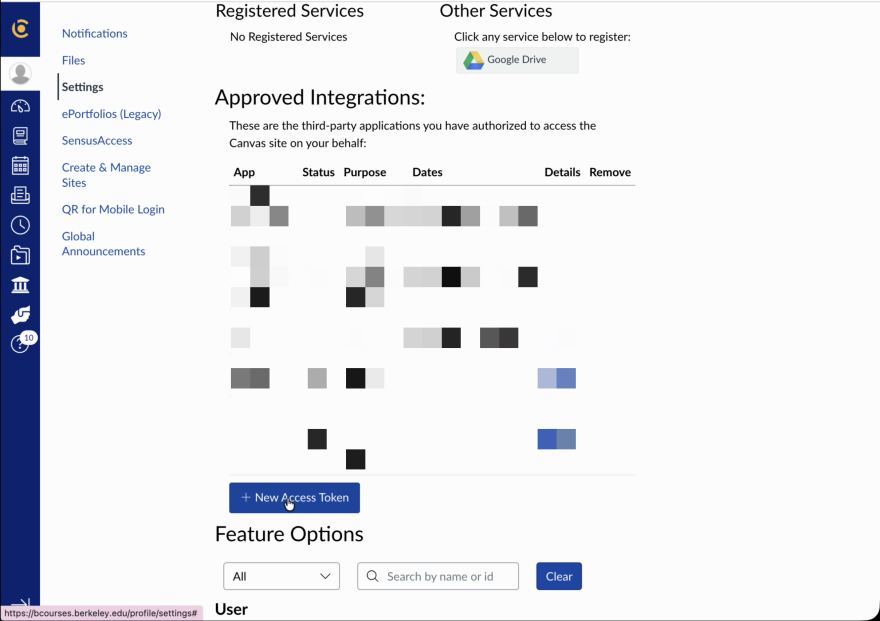
Press + New Access Token. -
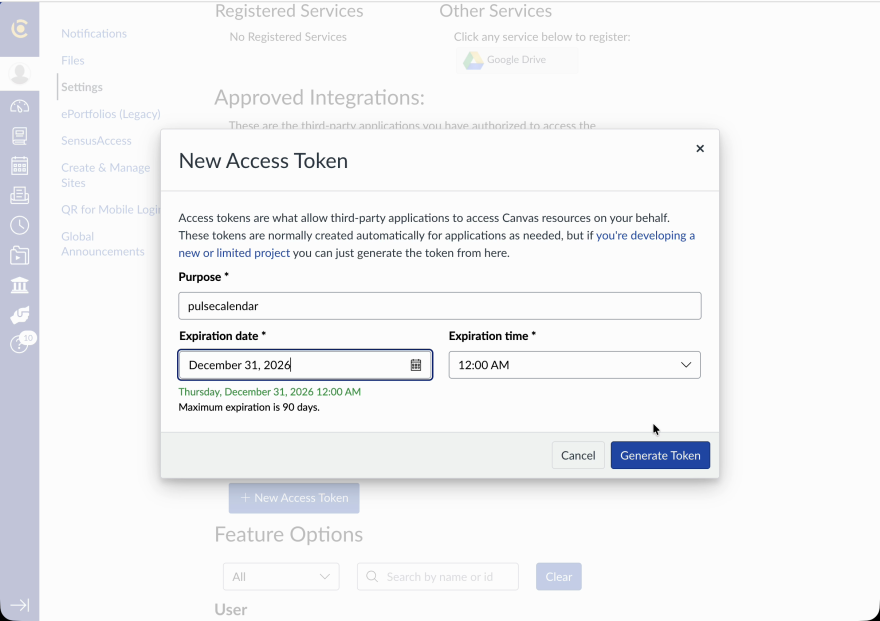
Type a purpose, set the expiration up to 90 days out, then press Generate Token. -
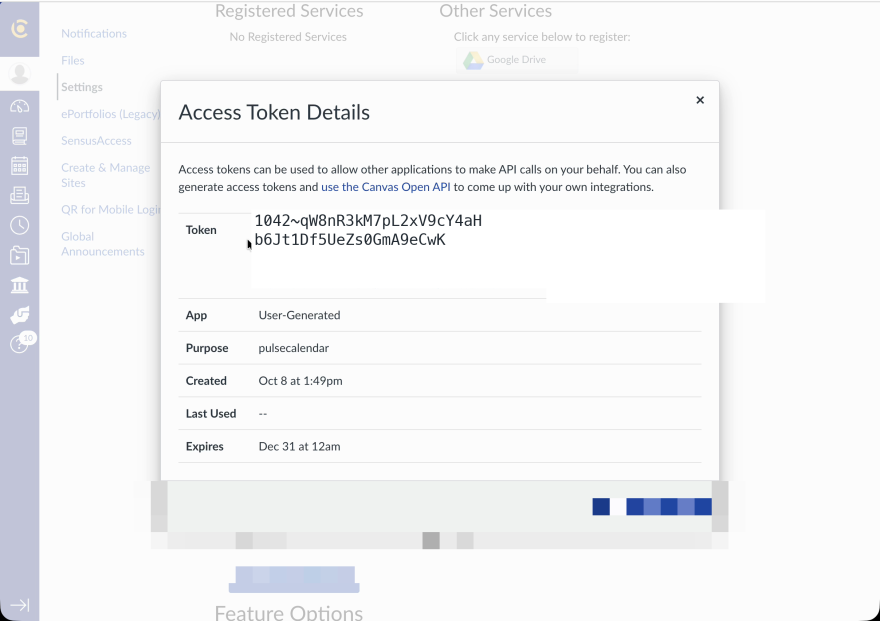
Copy the token. Canvas shows it once. Paste it in the box on the left.
CalCentral
Not connected
Open the syllabus page, allow it, then save that page. The policy is parsed once.
Not connected
The same window. Finish any phone prompt, then save. Pulse reads the inbox from that sign-in. An app password in Settings is optional.
Save what you just allowed
Sign-in window is closed. Pulse checks each site before it keeps a key.
Save the open page as static policy
Leave a syllabus open in the window. Pulse stores the words, not a screenshot.